Wednesday, 14 May 2014

China, Hong Kong and Macau Trip 2014

Arrived home this week after a lengthy trip around Hong Kong, Macau and China. Went with the family including dad this time. We saw some truly jaw-dropping scenery this time round. See below.

The highlights:

1) China - The clouds curling around Huangshan (Yellow) Mountain and the Extremely Steep Steps.

Known as "Yellow Mountain" to the average guilau. It was exactly like the old Chinese watercolour paintings you see everywhere (and they obviously inspired the scenery from the movie Avatar.). The 1000s of stairs were quite punishing - and the lack of hand rails, gale-force winds and sheer drops off granite cliffs was too hair raising for my Dad (plus he had a cold) - who pulled out.


Fairy Bridge (ahem. I'm not the fairy...)


These Guys get 100 Yuan Per Container they get to the Top (10km of stairs!):


2) China - Cycling Around Hangzhou (aka the "Most Beautiful City in China") and the West Lake
The whole city of Hangzhou is like a big jungle with beautiful Willows, pagodas and bridges everywhere. Probably the most livable city in China from my perspective as they take pride in how their city looks. Last time I went there, I got food poisioning so this experience was marginally better.

The 7km Tea Plantation Walk Near Hangzhou


3) China - Great Wall of China at Mutianyu and the Mega-Taboggan on the way back down Lisa and I had been to the Badaling section of the Great Wall in 2007 - but never to the less touristy section at Mutianyu. There you can actually move without a loud Chinese Tourist Operator deafening you with a megaphone in your ear and a dictatorial snarl to their voice.

Zach and Chinese 70's moustache guy

Some videos of the kids mucking around on the Great Wall:

a) Great wall of China Song inspired by the Wolf of Wall Street - http://youtu.be/xskGz1nrz8Q
b) Zach and Heidi - General Horseplay - Running Up and Down the Wall - http://youtu.be/Kp7PTl0cq-M


4) China - Eating the Poisonous Fugu Puffer Fish and Stinky Tofu in Shanghai

I've eaten a lot of weird and wonderful animals in China - but never had the poisonous (and potentitally deadly) Puffer fish Fugu. Had it on the river side of Shanghai a few blocks from the Shanghai Pearl Tower. Apparently your tongue is meant to tingle from the neurotoxins - but I found it had limited effect. Well at least I didn't suffer from paralysis and rapid death like hundreds of people in Japan in the 1950s! That's why serving of it is now strictly controlled and licensed.


I'd also never been brave enough to eat Cho Dofu (or Stinky Tofu). I will not be doing it again - as it smells and tastes like a perverse combination if Urine and Faeces. Yummo!


5) Macau - Touring St Pauls, and The Venetian and Galaxy Casinos.

The massive scale of the Venetian Casino and it's lifelike sky meant that:
a) We regularly got lost (that's probably by design as they never want you to escape before you gamble your money away.
b) We regularly experienced "The Truman Show" moments as the sky high above our heads seemed to move before your eyes if you look at it long enough - but it was just a well painted and lit ceiling.


There is a few hundred metres of canals within the Casino.
 
 
The lack of signs meant that we got lost a couple of times. This is Heidi having enough of walking around in circles:


The Portuguese Architecture on the way to St Pauls


6) China - Shanghai - Bar Rouge @ Bund 18 - Unfortunately missed out on the pole dancing and the "Bar on Fire" (a definite OH&S Issue and wouldn't be allowed in Australia) - on account of the weather but the view was spectacular and the Tiramisu cocktail was a winner. Most of the people in the bar had a distinctly British accent.


7) Chinglish Signs 

Some of the Awesome examples of the obligatory "Chinglish" signs I came accross this time. These included:

a) The "Chubby Lady" Fashion Store. It was not for Plus size women. "Mudd" fashion was also an inappropriate mechanism for generating interest in their clothing lines.


b) Instructions in the urinal to stand closer to avoid spillage - "One small step for forward, a big step for civilization". An interesting attempt at Chinese self-effacement - and recognition of the apalling state of urinals in China generally.
c) Engraved on a steel sign, instructions that "no verminous of filthy people are allowed in the park"... and that they must not "expose or exhibit sores when begging". Even beggars need to have standards.

8) China - Single-wheeled Segways and Mini-Segways

I saw about 20 of these on streets in China that people ride to work - I've never seen anything like it. Must have a very powerful gyro. Most of the motorbikes are all now electric (a big difference from my last visit 3 years before).

9) China - Yuanmingyuan  Ruins and Terracotta Warriors in Xian
Yuanmingruan are the ruins left of the old Summer Palace during the Opium Wars - the British and French Destroyed the massive fountains and palace complex that they helped to create. Dad (as a history teacher) - finally got to see the Terracotta warriors - and was very impressed.

The Terracotta Warriors - every one of them different. All holding weapons with a chromium covering (allegedly 2200 years before the Germans discovered the technique) - so they were still shiny when excavated. The warriors were all coloured like the Chinese Temples - with blue faces.

Yuanmingyuan Ruins Destroyed in the Opium Wars

Yuanmingyuan Maze

10) China - Cooking my own food at a street vendor in Shanghai

Like cooking your own steak in the poor man's Oaks!


11) The large number of times random people asked the kids and I to have photos with them

I had 4 groups ask me to hug them for photos just in Tiananmen Square! Zach then complained that everyone wanted photos with Heidi and I - "Who's taking a photo with me???". Sure enough he was asked about 10 minutes later!

12) On our Cathay Flight Home, they played the Chinese Language of "Prepare for Landing" while we were in the middle of the Ocean!The captain apologized shortly after this boo-boo - as they had no native Mandarin speakers on the plane and got the messages mixed up. Shortly after, they asked if a doctor on the plane for an emergency. I would have had a heart attack too if I believed the message... when we landed, several people clapped and cheered. Apparently some countries have that as a tradition - but I think people were relieved that they were still alive...

There are about a million other things I could say about the trip - but that will have to do!

Till Next Time,


DDK

Monday, 10 March 2014

FIX - Millions of Files Keep Clogging Up My System in Windows\System32\config\systemprofile\AppData\Local\Microsoft\Windows\Temporary Internet Files\Content.IE5

Recently, my windows system drive kept filling to take up all available space. I originally thought it was a virus or malware (or a dodgy windows update) causing the issue - but all the scanners I tried (such as MalwareBytes, Kaspersky Root Kit, AdwCleaner, ComboFix) detected nothing. Zilch.

Using TreeSize, I discovered that there were so many gigabytes of files in my c:\Windows\System32\config\systemprofile\AppData\Local\Microsoft\Windows\Temporary Internet Files\Content.IE5 directory that I couldn't even open the folder. The only way to delete the files was via a del *.* at an MS-DOS prompt (or PowerShell if you prefer). Even after doing this, the problem came back again.

It turned out that the problem was that I had left the .NET Fusion Log Viewer Setting to "All Binds" - and all the HTML files being created in that temporary directory were actually just log bind text files.
I opened up the Visual Studio 2013 command Prompt on the problem machine (Running as an Administrator), ran fuslogvw and turned off all logging.


Et Voila. No more problem.

I also changed the default log path to a different directory to avoid confusion later (and to make it easier to clear out by deleting the whole directory rather than the millions of files within when I next want to troubleshoot assembly binding issues).

Really, the FusLogVw should have an automatic rolling logging feature the same as the SharePoint ULS Logs so this problem wouldn't bring a system to its knees.

DDK

Thursday, 13 February 2014

SharePoint 2013 - Warning! Access of SPContext.Current before PostRequestHandlerExecute in an IHttpModule will Cause Improper Initialization and Partial Failure of SharePoint Components

Ran into a particularly insidious issue yesterday with a HttpModule (implementing the IHttpModule interface) running on a SharePoint 2013 web application. The symptoms of the problem were:
  1. A user Clicks Settings > Add A Page
  2. The "Create Default Wiki Pages" Dialog Appears

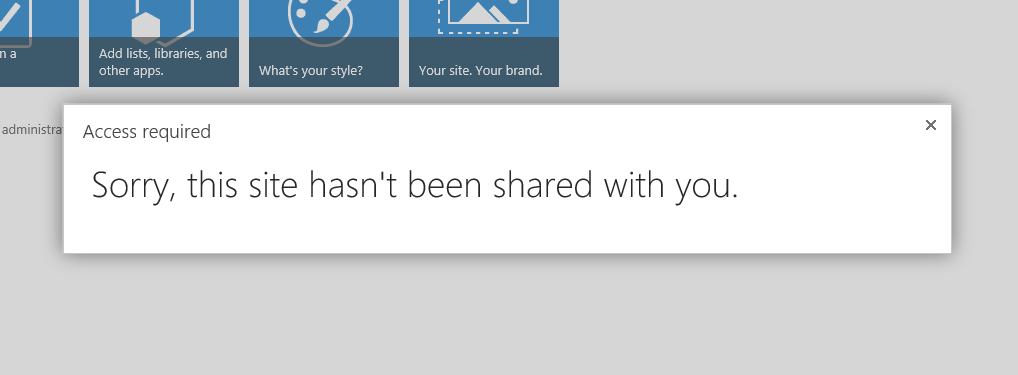
  3. The User Gets an "Access Required - Sorry, this site hasn't been shared with you." Error Dialog
This originally looked like a permissions issue - but that was a red herring. With great difficulty (and a smidgen of persistence), I found out that this problem occurs if you access the SPContext in an Event Handler that is before the PreRequestHandlerExecute Event. See my table below for when you can use SPContext.Current.
 

Event # HttpApplication Event Name OK to use SPContext.Current
1 BeginRequest NO
2 AuthenticateRequest NO
3 PostAuthenticateRequest NO
4 AuthorizeRequest NO
5 PostAuthorizeRequest NO
6 ResolveRequestCache NO
7 PostResolveRequestCache NO
8 PostMapRequestHandler NO
9 AcquireRequestState NO
10 PostAcquireRequestState NO
11 PreRequestHandlerExecute YES
12 PostRequestHandlerExecute YES
13 ReleaseRequestState YES
14 PostReleaseRequestState YES
15 UpdateRequestCache  YES
16 PostUpdateRequestCache  YES
17 LogRequest YES
18 PostLogRequest YES
19 EndRequest YES


In my case, we (not to place blame on any particular developer!) created calls to the SPContext in the PostAcquireRequestState event handler. As soon as any access to the SPContext takes place this early in the processing pipeline, forces an incorrect initialization of variables such as "SitePages" and "SiteAssetsLibrary". The SPContext.Current is not null - just half-baked.
The following code in an HttpModule will cause your "Add Pages" functionality in SharePoint 2013 to fail as well:
   public class SecurityModule : IHttpModule, IRequiresSessionState
    {
        private void context_PostAcquireRequestState(object sender, EventArgs e)
        {
            if (SPContext.Current == null)
            {
                //Do nothing - this call to SPContext.Current too early in the Http Processing Pipeline will cause "Add Pages" in SP2013 to fail.
                //This is because the SiteAssets and SitePages Collections in SPWeb are not initialized properly for later calls in the pipeline.
            }
        }
    }

Using Reflector, you can see that internally, the "Add Page" Dialog uses the SPWeb.SitePagesLibrary internal property.


If I step through Microsoft's SharePoint code with Reflector VS PRO, I see that some properties are not initialized when I use SPContext in my custom code before the PreRequestHandlerExecute event.

Lesson Learned (and something to watch out for as the problem is hard to detect) - even if you CAN access the SPContext.Current before PreRequestHandlerExecute, DON'T DO IT. Otherwise, it causes instability in objects initialized by your SPContext later in the request pipeline.

This includes SharePoint itself. You have been warned!

DDK

Thursday, 24 October 2013

Build and Package/Publish Behaviour Changes for SharePoint 2013 Projects from Visual Studio 2012 to Visual Studio 2013

I recently moved to a fresh SharePoint Development Farm with Visual Studio 2013 (from an install with VS 2012 and VS 2013 RC) - and noticed that my projects would build but not publish or deploy correctly. When attempting to Publish or deploy certain projects (i.e. to build SharePoint Solution or .wsp files) in Visual Studio 2013, I found that they would fail on the publish step after rebuilding other projects with your usual build failure exceptions:

The type or namespace name "Interfaces" does not exist in the namespace "ProjectName.Repository" (are you missing an assembly reference?)

I tried to see if there were differences in the Project (csproj) structure in Team Foundation Server (TFS)  - as my colleague still had Visual Studio 2012 and could build the project without issue. There were no differences.

To troubleshoot the issue, I turned build logging way up to the Diagnostics Level from the default of Minimum (in Tools > Options > Projects and Solutions > Build and Run > MSBuild project build output verbosity) as seen below:


Once you do this, you will have tens of thousands of lines of errors and information to sift through. A lot of the errors are spurious and are actually part of the normal functioning of MSBuild. One of the first errors that came up related to the ToolSet Version Installed. It was apparently looking for the Visual Studio 2010 Tools (not even the 2012 Toolset from the Project File (csproj) Definition):

1>------ Build started: Project: MyProject.Model, Configuration: Debug Any CPU ------
1>Build started 23/10/2013 6:32:46 PM.
1>Building with tools version "12.0".
1>Project file contains ToolsVersion="4.0". This toolset may be unknown or missing, in which case you may be able to resolve this by installing the appropriate version of MSBuild, or the build may have been forced to a particular ToolsVersion for policy reasons. Treating the project as if it had ToolsVersion="12.0". For more information, please see http://go.microsoft.com/fwlink/?LinkId=293424.
1>Target "_CheckForInvalidConfigurationAndPlatform" in file "C:\Program Files (x86)\MSBuild\12.0\bin\Microsoft.Common.CurrentVersion.targets" from project "C:\src\DDK\BIT\MyProject\trunk\MyProject.Models\MyProject.Model.csproj" (entry point):
1>Task "Error" skipped, due to false condition; ( '$(_InvalidConfigurationError)' == 'true' ) was evaluated as ( '' == 'true' ).
1>Task "Warning" skipped, due to false condition; ( '$(_InvalidConfigurationWarning)' == 'true' ) was evaluated as ( '' == 'true' ).
1>Using "Message" task from assembly "Microsoft.Build.Tasks.v12.0, Version=12.0.0.0, Culture=neutral, PublicKeyToken=b03f5f7f11d50a3a".
1>Task "Message"
1>  Configuration=Debug
1>Done executing task "Message".
1>Task "Message"
1>  Platform=AnyCPU
1>Done executing task "Message".
1>Task "Error" skipped, due to false condition; ('$(OutDir)' != '' and !HasTrailingSlash('$(OutDir)')) was evaluated as ('bin\Debug\' != '' and !HasTrailingSlash('bin\Debug\')).
1>Task "Error" skipped, due to false condition; ('$(BaseIntermediateOutputPath)' != '' and !HasTrailingSlash('$(BaseIntermediateOutputPath)')) was evaluated as ('obj\' != '' and !HasTrailingSlash('obj\')).
1>Task "Error" skipped, due to false condition; ('$(IntermediateOutputPath)' != '' and !HasTrailingSlash('$(IntermediateOutputPath)')) was evaluated as ('obj\Debug\' != '' and !HasTrailingSlash('obj\Debug\')).

I tried to replace all the ToolsVersions to the Visual Studio 2013 version (which is ToolsVersion="12.0" - but to no avail.

I also had exceptions pointing to files that didn't exist - like so:
8>Output file "__NonExistentSubDir__\__NonExistentFile__" does not exist.

I checked with the Fusion Log Viewer (fuslogvw from a Visual Studio Command Prompt) - but there were no errors loading assemblies found. I also checked the GAC with gacutil /l and the files definitely got installed there - so that wasn't the issue. I also considered that it may be one of the perennial problems involving permissions - but Visual Studio was running as an Administrator and the Diagnostics Build log showed no permissions errors like this.

Thinking about how the error only occurred during a Publish or Deploy in Visual Studio, I considered that it may be a problem with the SharePoint Package (Package.package) file. Turns out this was right on the money.

Looking at the very end of the Diagnostic Build log:

8>Done executing task "Exec".
8>Done building target "PostBuildEvent" in project "MyProject.Common.UI.csproj".
8>Target "CoreBuild" in file "C:\Program Files (x86)\MSBuild\12.0\bin\Microsoft.Common.CurrentVersion.targets" from project "C:\src\DDK\BIT\MyProject\trunk\MyProject.Common.UI\MyProject.Common.UI.csproj" (target "Build" depends on it):
8>Done building target "CoreBuild" in project "MyProject.Common.UI.csproj".
8>Target "CreateTfsBuildInfoResource" skipped, due to false condition; ( $(AddBuildInfoToAssembly)==true ) was evaluated as ( false==true ).
8>Target "AfterBuild" in file "C:\Program Files (x86)\MSBuild\12.0\bin\Microsoft.Common.CurrentVersion.targets" from project "C:\src\DDK\BIT\MyProject\trunk\MyProject.Common.UI\MyProject.Common.UI.csproj" (target "Build" depends on it):
8>Done building target "AfterBuild" in project "MyProject.Common.UI.csproj".
8>Target "Build" in file "C:\Program Files (x86)\MSBuild\12.0\bin\Microsoft.Common.CurrentVersion.targets" from project "C:\src\DDK\BIT\MyProject\trunk\MyProject.Common.UI\MyProject.Common.UI.csproj" (entry point):
8>Done building target "Build" in project "MyProject.Common.UI.csproj".
8>Done executing task "MSBuild" -- FAILED.
8>Done building target "BuildSharePointProjectReferences" in project "MyProject.ApplicationPages.csproj" -- FAILED.
8>Done executing task "CallTarget" -- FAILED.
8>Done building target "ConditionalPackage" in project "MyProject.ApplicationPages.csproj" -- FAILED.
8>
8>Build FAILED.
8>

When I removed all project assemblies from the Package.Package File (under "Additional Assemblies") that were in my project output (i.e. any non-3rd Party Components), the package would work correctly. Turns out the main difference between Visual Studio 2012 and 2013 is that the order of "Additional Assemblies" defined in a SharePoint package actually makes a difference - and they must be in order of your project dependencies. If they are out of order, MSBuild process (during creation of the wsp only) will not find them in its working directory and spit the dummy.

The fix to resolve the issue then is to make sure all your "Additional Assemblies" are created in correct dependency order - this didn't make a difference during the build process in Visual Studio 2012 but it makes a big difference in Visual Studio 2013.


I suspect this difference in behavior is related to the changes in architecture to MSBuild and its migration from .NET into Visual Studio itself as discussed here -


DDK

Tuesday, 8 October 2013

SharePoint 2013 - Bug - Breaking Role Inheritance on Document Library Items within a Synchronous ItemAdded Item Event Receiver will always generate an exception when not a Site Collection Administrator (e.g. a Site Owner) - Fix

This particular issue has caused me a fair amount of grief in the past when developing List Item Event Receivers against Document Libraries (there is no such problem with other List types that don't have Checkouts). I believe it is a bug (or at least a sub-optimal design) in the SaveButton code in SharePoint itself.

It essentially means you cannot change permissions on an item without getting an exception in certain scenarios/use cases like so:


In short, if you (as a non-site collection admin user such as a site owner) perform a BreakRoleInheritance() or any overloads on an item in an ItemAdded Synchronous Receiver against a Document Library in SharePoint 2013, you will always receive the following exception in your SharePoint ULS Logs and the user will see a spurious exception:

 Application error when access /Secured Document Library/Forms/EditForm.aspx, Error=Specified argument was out of the range of valid values. 
  at Microsoft.SharePoint.SPListItemCollection.get_Item(Int32 iIndex)   
  at Microsoft.SharePoint.SPListItem.EnsureItemIsValid()   
  at Microsoft.SharePoint.SPListItem.GetValue(SPField fld, Int32 columnNumber, Boolean bRaw, Boolean bThrowException)   
  at Microsoft.SharePoint.SPListItem.GetValue(String strName, Boolean bThrowIfValueMissing, Boolean bThrowIfFieldMissing)   
  at Microsoft.SharePoint.SPListItem.GetValue(String strName)   
  at Microsoft.SharePoint.SPListItem.get_File()   
  at Microsoft.SharePoint.WebControls.SaveButton.SaveItem(SPContext itemContext, Boolean uploadMode, String checkInComment)   
  at Microsoft.SharePoint.WebControls.SaveButton.SaveItem()   
  at Microsoft.SharePoint.WebControls.SaveButton.OnBubbleEvent(Object source, EventArgs e)   
  at System.Web.UI.Control.RaiseBubbleEvent(Object source, EventArgs args)   

 at System.Web.UI.Page.ProcessRequestMain(Boolean includeStagesBeforeAsyncPoint, Boolean includeStagesAfterAsyncPoint)

  Followed by this:

 System.ArgumentOutOfRangeException: Specified argument was out of the range of valid values.  
  at Microsoft.SharePoint.SPListItemCollection.get_Item(Int32 iIndex)   
  at Microsoft.SharePoint.SPListItem.EnsureItemIsValid()   
  at Microsoft.SharePoint.SPListItem.GetValue(SPField fld, Int32 columnNumber, Boolean bRaw, Boolean bThrowException)   
  at Microsoft.SharePoint.SPListItem.GetValue(String strName, Boolean bThrowIfValueMissing, Boolean bThrowIfFieldMissing)   
  at Microsoft.SharePoint.SPListItem.GetValue(String strName)   
  at Microsoft.SharePoint.SPListItem.get_File()   
  at Microsoft.SharePoint.WebControls.SaveButton.SaveItem(SPContext itemContext, Boolean uploadMode, String checkInComment)   
  at Microsoft.SharePoint.WebControls.SaveButton.SaveItem()   
  at Microsoft.SharePoint.WebControls.SaveButton.OnBubbleEvent(Object source, EventArgs e)   
  at System.Web.UI.Control.RaiseBubbleEvent(Object source, EventArgs args)   
  at System.Web.UI.Page.ProcessRequestMain(Boolean includeStagesBeforeAsyncPoint, Boolean includeStagesAfterAsyncPoint)


Then this equally entertaining Exception:

Getting Error Message for Exception System.Web.HttpUnhandledException (0x80004005): Exception of type 'System.Web.HttpUnhandledException' was thrown. ---> System.ArgumentOutOfRangeException: Specified argument was out of the range of valid values.   
  at Microsoft.SharePoint.SPListItemCollection.get_Item(Int32 iIndex)   
  at Microsoft.SharePoint.SPListItem.EnsureItemIsValid()   
  at Microsoft.SharePoint.SPListItem.GetValue(SPField fld, Int32 columnNumber, Boolean bRaw, Boolean bThrowException)   
  at Microsoft.SharePoint.SPListItem.GetValue(String strName, Boolean bThrowIfValueMissing, Boolean bThrowIfFieldMissing)   
  at Microsoft.SharePoint.SPListItem.GetValue(String strName)   
  at Microsoft.SharePoint.SPListItem.get_File()   
  at Microsoft.SharePoint.WebControls.SaveButton.SaveItem(SPContext itemContext, Boolean uploadMode, String checkInComment)   
  at Microsoft.SharePoint.WebControls.SaveButton.SaveItem()   
  at Microsoft.SharePoint.WebControls.SaveButton.OnBubbleEvent(Object source, EventArgs e)   
  at System.Web.UI.Control.RaiseBubbleEvent(Object source, EventArgs args)   
  at System.Web.UI.Page.ProcessRequestMain(Boolean includeStagesBeforeAsyncPoint, Boolean includeStagesAfterAsyncPoint)   
  at System.Web.UI.Page.HandleError(Exception e)   
  at System.Web.UI.Page.ProcessRequestMain(Boolean includeStagesBeforeAsyncPoint, Boolean includeStagesAfterAsyncPoint)   
  at System.Web.UI.Page.ProcessRequest(Boolean includeStagesBeforeAsyncPoint, Boolean includeStagesAfterAsyncPoint)   
  at System.Web.UI.Page.ProcessRequest()   
  at System.Web.UI.Page.ProcessRequest(HttpContext context)   
  at System.Web.HttpApplication.CallHandlerExecutionStep.System.Web.HttpApplication.IExecutionStep.Execute()   
  at System.Web.HttpApplication.ExecuteStep(IExecutionStep step, Boolean& completedSynchronously)

Let's Debug Some Microsoft Code!

Using various tools such as Redgate's Reflector VS Pro and SQL Profiler to step through SharePoint's code, I managed to find why an exception always occurs after you break inheritance on an item. Reflector was particularly useful as I could step through Microsoft's code and see all the variables as if it was my own.

To get this debugging working, I followed this article on the Redgate site: http://documentation.red-gate.com/display/REF8/Debugging+into+SharePoint+and+seeing+the+locals. Essentially, you need to make 2 changes to debug the SharePoint code:

1) Run regedit from the Run menu HKEY_LOCAL_MACHINE\SYSTEM\CurrentControlSet\Control\Session Manager\Environment and add a string entry of COMPLUS_ZAPDISABLE, with a value of 1


2) To stop the code being optimized away and to see the local variables in Visual Studio, you also need to add an ini file in the SharePoint assembly directory (you can find this out via the modules window when in debug mode) e.g.C:\Windows\Microsoft.Net\assembly\GAC_MSIL\Microsoft.SharePoint\v4.0_15.0.0.0__71e9bce111e9429c\Microsoft.SharePoint.dll

The ini file should be called Microsoft.SharePoint.ini with the following contents:
[.NET Framework Debugging Control]
GenerateTrackingInfo=1
AllowOptimize=0


Why does this happen?


You will always get an exception (with no way to handle it) because the properties.ListItem and properties.ListItem.File are invalidated by the BreakRoleInheritance() call. This occurs in the Update() call within the SaveButton.cs code in SharePoint 2013. I assume the code was also the same in 2010.

Because a CheckIn is attempted after the Update() code, against the file, the properties.ListItem.File will always throw the exceptions you see above.

You can see this in the code screenshot of the Microsoft SaveButton code below. Because BreakRoleInheritance invalidates the item during the update (because the SharePoint callback SQL code can't find the item), the CheckIn line will always get an exception.


The screenshot below shows the call (which goes to an external COM component, and then to SQL). This callback returns zero records.


The External Call to GetListItemDataWithCallback2():

If you run SQL Profiler at the same time, you will see that the SQL query is too specific and excludes the item on which you just Broke Role Inheritance.


After the call to SQL (which failed to retrieve the item and returns an array of zero length), an index is used on an array assuming that there is a record there. The index is out of the bounds of the array, and so fails with an exception. This is where the invalid index call occurs (during the Save Button
CheckIn() call):


The SQL that returns no records (and why the array is empty) is as below:

exec sp_executesql N'          SELECT t3.[nvarchar12] AS c15c10, t1.[SortBehavior] AS c0, UserData.[nvarchar10], UserData.[tp_ItemOrder], UserData.[nvarchar1], t1.[FolderChildCount] AS c31, t1.[ParentLeafName] AS c36, t2.[nvarchar4] AS c3c6, UserData.[ntext1], UserData.[nvarchar14], t4.[nvarchar6] AS c22c7, UserData.[tp_AppAuthor], t2.[tp_Created] AS c3c11, t3.[nvarchar6] AS c15c7, t1.[ProgId] AS c18, UserData.[nvarchar19], UserData.[tp_AppEditor], t1.[Type] AS c13, UserData.[tp_ID], t1.[ScopeId] AS c21, UserData.[nvarchar5], UserData.[bit1], t1.[ClientId] AS c26, UserData.[tp_GUID], t1.[TimeCreated] AS c1, UserData.[tp_Editor], t2.[nvarchar11] AS c3c9, UserData.[tp_Author], t4.[tp_ID] AS c22c5, t4.[nvarchar3] AS c22c12, t2.[nvarchar1] AS c3c4, t3.[tp_Created] AS c15c11, UserData.[nvarchar13], UserData.[nvarchar18], t1.[CheckinComment] AS c29, t3.[tp_ID] AS c15c5, CASE WHEN DATALENGTH(t1.DirName) = 0 THEN t1.LeafName WHEN DATALENGTH(t1.LeafName) = 0 THEN t1.DirName ELSE t1.DirName + N''/'' + t1.LeafName END  AS c16, UserData.[tp_ContentTypeId], t1.[Size] AS c24, UserData.[tp_WorkflowVersion], t1.[ETagVersion] AS c37, UserData.[nvarchar4], UserData.[tp_CheckoutUserId], UserData.[tp_Version], UserData.[nvarchar9], t4.[nvarchar9] AS c22c8, t5.[nvarchar1] AS c4, UserData.[tp_IsCurrentVersion], t2.[nvarchar6] AS c3c7, UserData.[tp_HasCopyDestinations], UserData.[tp_Level], UserData.[nvarchar12], UserData.[nvarchar17], t4.[nvarchar12] AS c22c10, t2.[nvarchar3] AS c3c12, t1.[TimeLastModified] AS c14, t3.[nvarchar9] AS c15c8, t1.[MetaInfo] AS c19, t1.[Size] AS c27, t1.[ParentVersionString] AS c35, t1.[LeafName] AS c2, UserData.[nvarchar3], UserData.[tp_Modified], UserData.[nvarchar8], t4.[nvarchar4] AS c22c6, UserData.[tp_UIVersion], t1.[ItemChildCount] AS c30, t2.[tp_ID] AS c3c5, t3.[nvarchar3] AS c15c12, UserData.[tp_CopySource], UserData.[nvarchar11], UserData.[nvarchar16], t7.[Title] AS c34c33, UserData.[tp_InstanceID], t2.[nvarchar12] AS c3c10, t3.[nvarchar4] AS c15c6, t1.[IsCheckoutToLocal] AS c17, t1.[LTCheckoutUserId] AS c25, t6.[Title] AS c32c33, UserData.[tp_UIVersionString], t1.[Id] AS c20, UserData.[nvarchar2], UserData.[nvarchar7], t4.[nvarchar11] AS c22c9, t2.[nvarchar9] AS c3c8, UserData.[nvarchar15], t4.[nvarchar1] AS c22c4, t4.[tp_Created] AS c22c11, t3.[nvarchar11] AS c15c9, t3.[nvarchar1] AS c15c4, UserData.[tp_ModerationStatus], UserData.[nvarchar6], UserData.[tp_Created], t1.[DirName] AS c23, UserData.[tp_WorkflowInstanceID] FROM AllUserData AS UserData WITH(FORCESEEK(AllUserData_PK(tp_SiteId,tp_ListID,tp_DeleteTransactionId,tp_IsCurrentVersion))) INNER LOOP JOIN Docs AS t1 WITH(NOLOCK) ON (UserData.[tp_RowOrdinal] = 0) AND (t1.SiteId=UserData.tp_SiteId) AND (t1.SiteId = @SITEID) AND (t1.ParentId = UserData.tp_ParentId) AND (t1.Id = UserData.tp_DocId) AND ( (UserData.tp_Level = 1 OR  UserData.tp_Level =255) ) AND (t1.Level = UserData.tp_Level) AND ((UserData.tp_Level = 255 AND t1.LTCheckoutUserId =@IU OR (UserData.tp_Level = 1 AND (UserData.tp_DraftOwnerId IS NULL) OR UserData.tp_Level = 2)AND (t1.LTCheckoutUserId IS NULL OR t1.LTCheckoutUserId <> @IU ))) AND (UserData.tp_ListId = @L3 AND UserData.tp_SiteId = @SITEID) AND (UserData.[tp_IsCurrentVersion] = CONVERT(bit,1) ) AND (UserData.[tp_CalculatedVersion] = 0 ) AND (UserData.[tp_DeleteTransactionId] = 0x ) AND (UserData.[tp_ListID] =@LISTID) AND (UserData.[tp_SiteId] =@SITEID) AND (UserData.[tp_CalculatedVersion] = 0 ) AND (UserData.[tp_IsCurrentVersion] = CONVERT(bit,1) ) AND (UserData.[tp_DeleteTransactionId] = 0x ) INNER LOOP JOIN (SELECT CAST(val AS uniqueidentifier) AS InValues FROM dbo.fn_UnpackCsvString(@L4TXP) ) AS Scopes ON (t1.ScopeId = Scopes.InValues) LEFT OUTER LOOP JOIN AllUserData AS t2 WITH(FORCESEEK(AllUserData_PK(tp_SiteId,tp_ListId,tp_DeleteTransactionId,tp_IsCurrentVersion,tp_ID,tp_CalculatedVersion)),NOLOCK) ON (UserData.[tp_Editor]=t2.[tp_ID]) AND (UserData.[tp_RowOrdinal] = 0) AND (t2.[tp_RowOrdinal] = 0) AND ( (t2.tp_Level = 1) ) AND (t2.[tp_IsCurrentVersion] = CONVERT(bit,1) ) AND (t2.[tp_CalculatedVersion] = 0 ) AND (t2.[tp_DeleteTransactionId] = 0x ) AND (t2.tp_ListId = @L5 AND t2.tp_SiteId = @SITEID) AND (UserData.tp_ListId = @L3 AND UserData.tp_SiteId = @SITEID) AND (UserData.[tp_IsCurrentVersion] = CONVERT(bit,1) ) AND (UserData.[tp_CalculatedVersion] = 0 ) AND (UserData.[tp_DeleteTransactionId] = 0x ) LEFT OUTER LOOP JOIN AllUserData AS t3 WITH(FORCESEEK(AllUserData_PK(tp_SiteId,tp_ListId,tp_DeleteTransactionId,tp_IsCurrentVersion,tp_ID,tp_CalculatedVersion)),NOLOCK) ON (UserData.[tp_CheckoutUserId]=t3.[tp_ID]) AND (UserData.[tp_RowOrdinal] = 0) AND (t3.[tp_RowOrdinal] = 0) AND ( (t3.tp_Level = 1) ) AND (t3.[tp_IsCurrentVersion] = CONVERT(bit,1) ) AND (t3.[tp_CalculatedVersion] = 0 ) AND (t3.[tp_DeleteTransactionId] = 0x ) AND (t3.tp_ListId = @L5 AND t3.tp_SiteId = @SITEID) AND (UserData.tp_ListId = @L3 AND UserData.tp_SiteId = @SITEID) AND (UserData.[tp_IsCurrentVersion] = CONVERT(bit,1) ) AND (UserData.[tp_CalculatedVersion] = 0 ) AND (UserData.[tp_DeleteTransactionId] = 0x ) LEFT OUTER LOOP JOIN AllUserData AS t4 WITH(FORCESEEK(AllUserData_PK(tp_SiteId,tp_ListId,tp_DeleteTransactionId,tp_IsCurrentVersion,tp_ID,tp_CalculatedVersion)),NOLOCK) ON (UserData.[tp_Author]=t4.[tp_ID]) AND (UserData.[tp_RowOrdinal] = 0) AND (t4.[tp_RowOrdinal] = 0) AND ( (t4.tp_Level = 1) ) AND (t4.[tp_IsCurrentVersion] = CONVERT(bit,1) ) AND (t4.[tp_CalculatedVersion] = 0 ) AND (t4.[tp_DeleteTransactionId] = 0x ) AND (t4.tp_ListId = @L5 AND t4.tp_SiteId = @SITEID) AND (UserData.tp_ListId = @L3 AND UserData.tp_SiteId = @SITEID) AND (UserData.[tp_IsCurrentVersion] = CONVERT(bit,1) ) AND (UserData.[tp_CalculatedVersion] = 0 ) AND (UserData.[tp_DeleteTransactionId] = 0x ) LEFT OUTER LOOP JOIN AllUserData AS t5 WITH(FORCESEEK(AllUserData_PK(tp_SiteId,tp_ListId,tp_DeleteTransactionId,tp_IsCurrentVersion,tp_ID,tp_CalculatedVersion)),NOLOCK) ON (t1.[LTCheckoutUserId]=t5.[tp_ID]) AND (t5.[tp_RowOrdinal] = 0) AND ( (t5.tp_Level = 1) ) AND (t5.[tp_IsCurrentVersion] = CONVERT(bit,1) ) AND (t5.[tp_CalculatedVersion] = 0 ) AND (t5.[tp_DeleteTransactionId] = 0x ) AND (t5.tp_ListId = @L5 AND t5.tp_SiteId = @SITEID) LEFT OUTER LOOP JOIN AppPrincipals AS t6 WITH(NOLOCK) ON (UserData.[tp_AppAuthor]=t6.[Id]) AND (UserData.[tp_RowOrdinal] = 0) AND (t6.SiteId = @SITEID) AND (UserData.tp_ListId = @L3 AND UserData.tp_SiteId = @SITEID) AND (UserData.[tp_IsCurrentVersion] = CONVERT(bit,1) ) AND (UserData.[tp_CalculatedVersion] = 0 ) AND (UserData.[tp_DeleteTransactionId] = 0x ) LEFT OUTER LOOP JOIN AppPrincipals AS t7 WITH(NOLOCK) ON (UserData.[tp_AppEditor]=t7.[Id]) AND (UserData.[tp_RowOrdinal] = 0) AND (t7.SiteId = @SITEID) AND (UserData.tp_ListId = @L3 AND UserData.tp_SiteId = @SITEID) AND (UserData.[tp_IsCurrentVersion] = CONVERT(bit,1) ) AND (UserData.[tp_CalculatedVersion] = 0 ) AND (UserData.[tp_DeleteTransactionId] = 0x ) WHERE (UserData.[tp_CalculatedVersion] = 0 ) AND (UserData.[tp_IsCurrentVersion] = CONVERT(bit,1) ) AND (UserData.[tp_DeleteTransactionId] = 0x ) AND (UserData.tp_ListID=@LISTID) AND (UserData.tp_SiteId=@SITEID) AND ( (UserData.tp_Level = 1 OR  UserData.tp_Level =255)  AND ( UserData.tp_Level= 255 AND UserData.tp_CheckoutUserId = @IU OR  ( UserData.tp_Level  = 2 AND UserData.tp_DraftOwnerId IS NOT NULL OR UserData.tp_Level  = 1 AND UserData.tp_DraftOwnerId IS  NULL  ) AND ( UserData.tp_CheckoutUserId IS  NULL  OR UserData.tp_CheckoutUserId <> @IU))) AND (UserData.tp_RowOrdinal=0) AND ((UserData.[tp_ID] = @II)) ORDER BY t1.[SortBehavior]  DESC ,UserData.[tp_ID]  ASC  OPTION (FORCE ORDER, MAXDOP 1)',N'@LFFP uniqueidentifier,@SITEID uniqueidentifier,@IU int,@L3 uniqueidentifier,@L4TXP nvarchar(4000),@L5 uniqueidentifier,@II int,@LISTID uniqueidentifier,@RequestGuid uniqueidentifier',@LFFP='00000000-0000-0000-0000-000000000000',@SITEID='DC59B5ED-EF2E-4701-89A5-88057D449776',@IU=10,@L3='5E68F1D8-4EF0-4375-9433-246368FC6E2C',@L4TXP=N'{32C47E39-1A7E-4949-9A71-CEBA54BE5AC7},{882F0725-834F-48F0-95F4-FDA490367003},{4AE1520E-ACF9-4014-BDB8-4F0C897ECD6A},{7D93E0FA-FF19-4E3A-A344-378A5E8DFD4E},{5DC69BCF-2778-4AFD-B4E9-FCAAC84AA40F},{5FCA1571-0643-4467-8067-9E24CA271EBE}',@L5='70002672-8F36-4F40-BB22-7AD9D75923F9',@II=332,@LISTID='5E68F1D8-4EF0-4375-9433-246368FC6E2C',@RequestGuid='8F43499C-ADFE-1030-7AAF-EE92CFD86881'

The Problem In Summary:
1) Your BreakRoleInheritance() call in code makes another call to the SharePoint stored procedure proc_SecRemovePrincipalFromScope
2) proc_SecRemovePrincipalFromScope updates values that are specifically filtered for in the SQL generated by SaveButton.cs for the properties.ListItem.File call
3) Because the query returns an empty array, you will get an out of index exception - even if you try
the properties.InvalidateListItem() or properties.InvalidateWeb() to force a reload.


The Fix:

If you look at the decompiled SharePoint Save Button code, you may notice that there is a Non-fatal error handler at the end. You can essentially short-circuit the CheckIn() call (that is causing the exceptions against the "missing" object in the empty array) by setting the SPItemEventProperties Event Receiver to SPEventReceiverStatus.CancelNoError in the CheckingIn() override like so:
        /// 
        /// An item is being checked in.
        /// 
        public override void ItemCheckingIn(SPItemEventProperties properties)
        {
            //For document libraries, need to do Role Inheritance on Checking in.
            ProcessMetadataChange(properties, SPEventReceiverType.ItemCheckingIn);
            properties.Status = SPEventReceiverStatus.CancelNoError;
            //base.ItemCheckingIn(properties);
        } 

You then do the CheckIn() call in the code yourself rather than rely on SharePoint to do it for you. You can see our entry point in the screenshot below - which means we can Cancel the CheckIn Event and effectively prevent the code that causes exceptions against the expired/invalidated objects in SaveButton from being processed:


When we set the properties.Status to CancelNoError, the code jumps to this soft goto handler and doesn't throw an exception like so:


DDK